-1.png?height=120&name=DI%20Logo%20Dark%20(2)-1.png)
Tasks can be assigned to yourself or other members of your team.
-
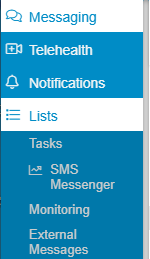
To view the Task Dashboard click the 'List' drop down from the left margin of the communications screen and select TASKS
-
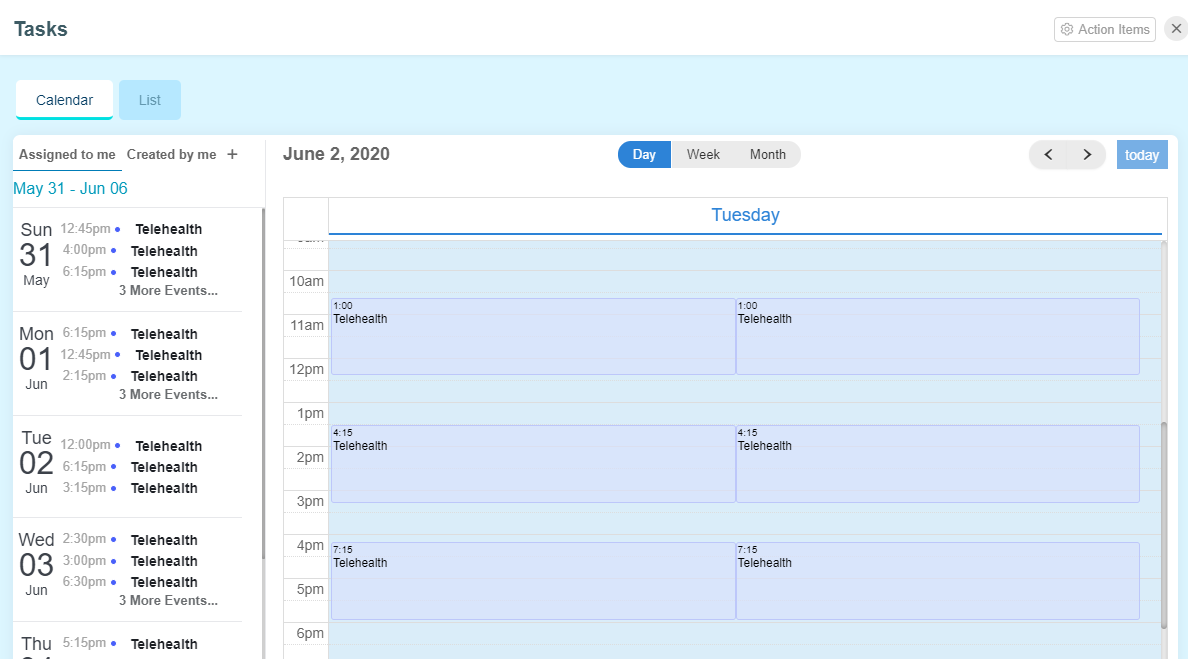
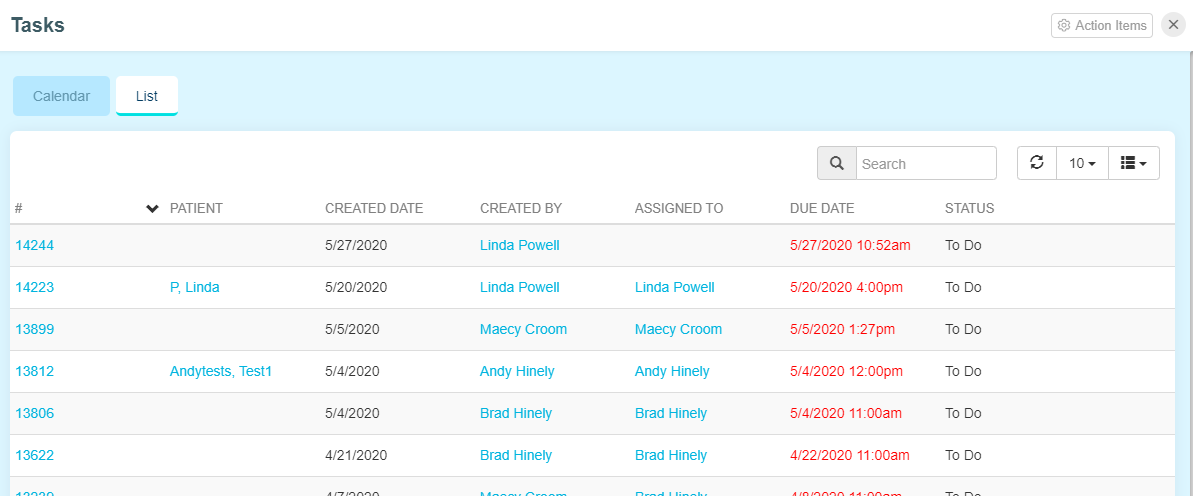
All Tasks assigned to staff members will be displayed - there are two views - Calendar and List
Calendar
List
-
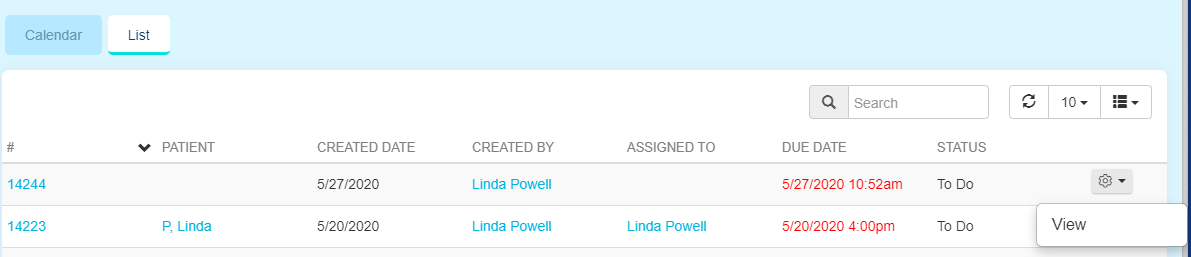
Past Due Tasks are displayed in RED
-
Task can be re-assigned and updated from Calendar and List view
-
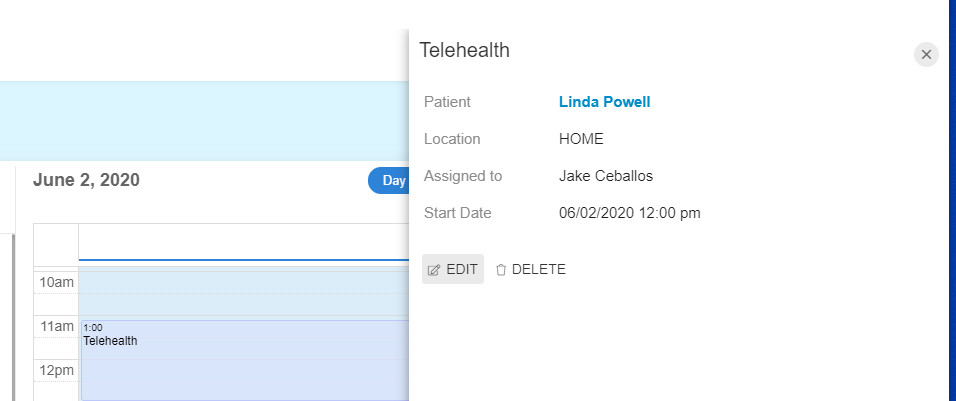
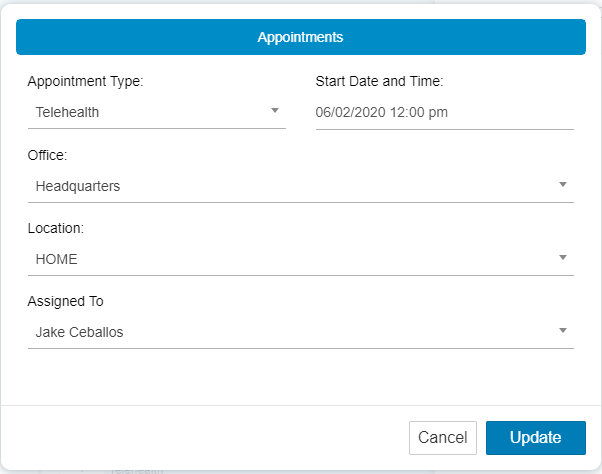
Calendar View - click into the appointment directly and selecting Edit from the fly out window
-
Edit or reassign the Task and select Update
-
List View - hover over the task to reveal the Actions icon on the right hand side - select View
-
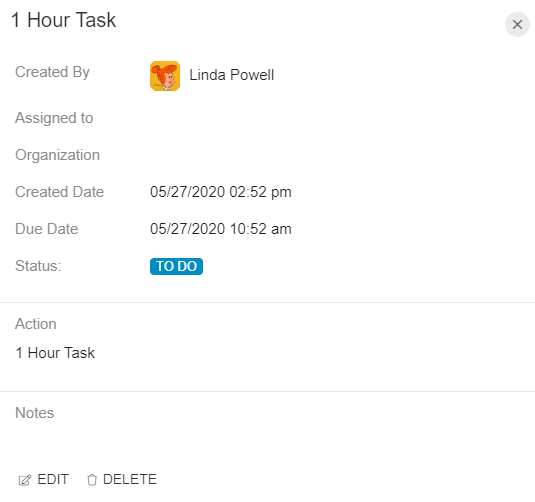
Now you can select Edit from the bottom of the fly out screen
-
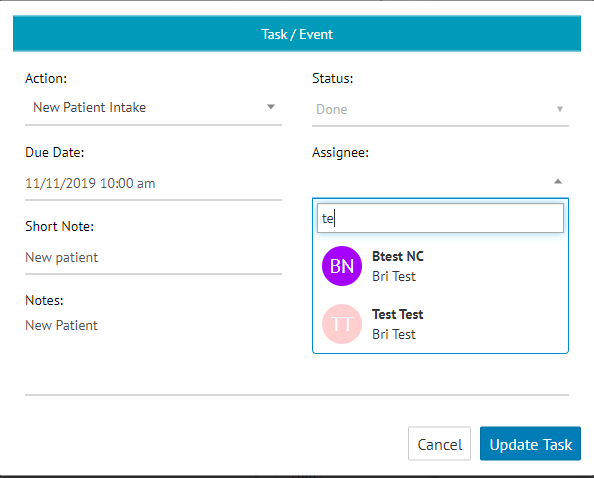
Change the status, edit relevant fields, and then select 'Update Task'
-
Tasks can be retained as long as desired or they can be deleted upon completion
-
Tasks associated with a patient profile will be stored in the patient profile when completed