![DI Logo Dark (2)-1.png]](https://20137853.hs-sites.com/hs-fs/hubfs/DI%20Logo%20Dark%20(2)-1.png?height=50&name=DI%20Logo%20Dark%20(2)-1.png)
-
Account Administrators can: Add & inactivate users, create groups, archive groups, resend password reset links, edit user profiles, customize settings for account
-
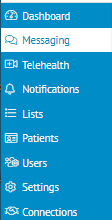
Once you have logged in at connect.docsink.com select Dashboard in the top left of the screen
-
Once in the Dashboard view, select the TEAM BUILDER tab

-
From the Team Builder tab you should see a list of your Team Members
-
Click Edit next to the User you would like to assign as an Admin

-
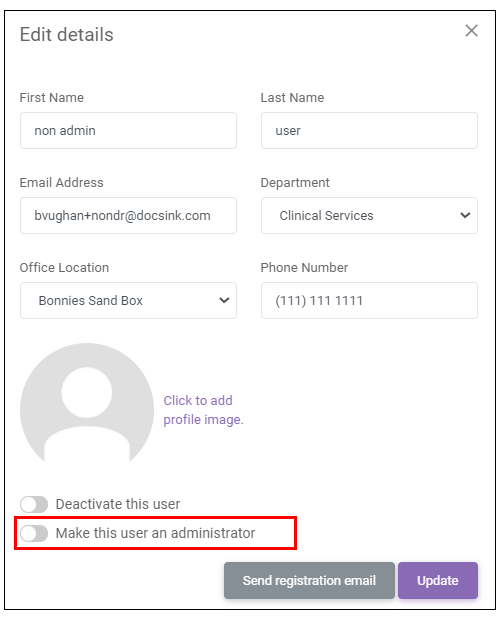
Toggle Make this user an administrator at the bottom of the view
-
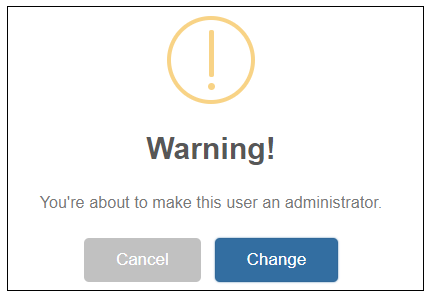
Select Change
-
The user type will change from Staff to Admin

You can also Make a Staff Member an Admin from the Desktop App
-
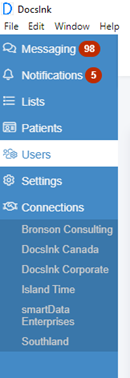
Select Users in the left margin
-
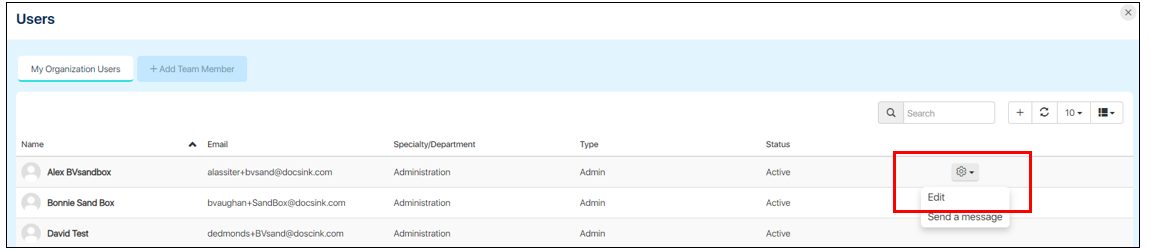
Hover at the right side of screen next to the user to reveal the gear icon and select Edit
-
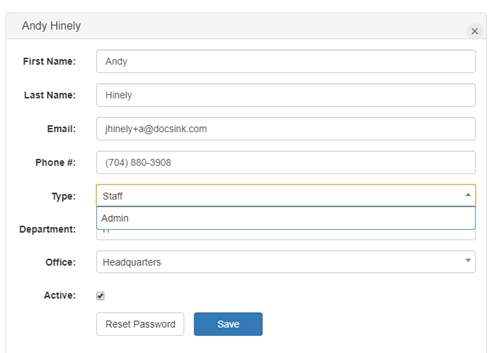
From the TYPE drop down options select Admin and Save