-
This can be accessed by selecting the 'Users' tab listed at the bottom of the session screen. Once selected the list of participants will display on the right-hand side. The 'person-' icon represents remove/exclude and the block icon (circle with a slash) is used to remove the user from the session permanently.
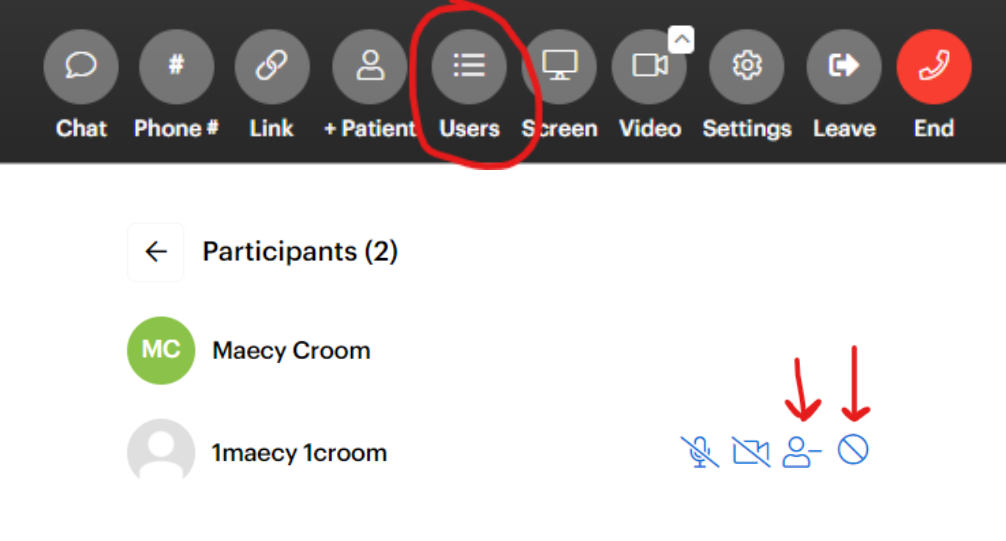
- When a participant is excluded from the session they can be added back by clicking the 'person +' icon.

English
![DI Logo Dark (2)-1.png]](https://20137853.hs-sites.com/hs-fs/hubfs/DI%20Logo%20Dark%20(2)-1.png?height=50&name=DI%20Logo%20Dark%20(2)-1.png)